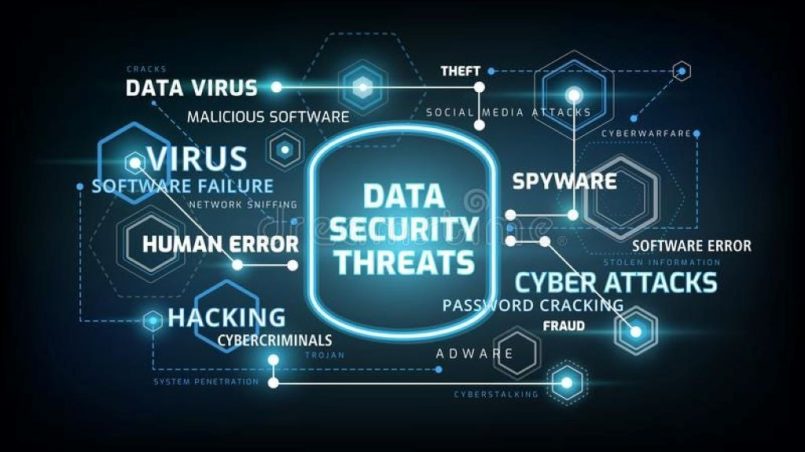
Imagine waking up to find your business’s customer data leaked online, your personal photos held for ransom, or your bank account drained by a hacker. These aren’t just worst-case scenarios—they’re daily realities for thousands of individuals and businesses. A Cybersecurity Ventures report predicts that cybercrime will cost the world $10.5 trillion annually by 2025, up from $3 trillion in 2015. The culprit? Poor digital system security.
Most people assume their firewalls, antivirus software, or “strong” passwords are enough to protect them. But cyber threats are evolving faster than ever, and traditional defenses are no longer sufficient. The truth is, securing your digital systems isn’t about adding more tools—it’s about implementing a layered, proactive approach that anticipates and neutralizes threats before they strike.
This guide isn’t about fearmongering or complex jargon. It’s about understanding the real risks to your digital systems, implementing practical cybersecurity protection measures, and staying one step ahead of cybercriminals. You’ll learn how to assess your vulnerabilities, fortify your defenses, and respond effectively to breaches. By the end, you’ll have a blueprint to protect your data, privacy, and peace of mind in an increasingly hostile digital landscape.
The Evolving Threat Landscape: What You’re Really Up Against
The Rise of Ransomware: Why It’s the Fastest-Growing Threat
Ransomware attacks increased by 13% in 2023, according to SonicWall’s annual report. These attacks encrypt your files and demand payment for their release. The average ransom demand now exceeds $200,000, but the real cost is downtime: IBM found that the average ransomware attack causes 21 days of disruption.
Example: The 2021 Colonial Pipeline attack disrupted fuel supplies across the U.S. East Coast, leading to a $4.4 million ransom payment.
The Phishing Epidemic: How Social Engineering Exploits Human Nature
Phishing accounts for 90% of data breaches, per Verizon’s 2023 Data Breach Investigations Report. These attacks trick users into revealing passwords or downloading malware. They’ve evolved beyond obvious scams to highly targeted “spear-phishing” emails that mimic trusted sources.
Example: A finance employee wired $1 million to a fraudster after receiving an email that appeared to come from their CEO.
The Supply Chain Risk: Why Third-Party Vendors Are a Weak Link
A Gartner study revealed that 60% of organizations have experienced a breach due to a third-party vendor’s vulnerability. Hackers target suppliers with weaker security to gain access to larger networks.
Example: The 2020 SolarWinds hack compromised U.S. government agencies by infiltrating a software update.
The IoT Vulnerability: How Smart Devices Become Entry Points
The number of IoT devices grew to 15.1 billion in 2023, per IHS Markit. Many lack basic security, making them easy targets. A compromised smart thermostat or camera can give hackers access to your entire network.
The Insider Threat: Why Employees Are Often the Weakest Link
IBM found that 20% of breaches involve insiders—whether through malice or negligence. Poor password habits, unsecured devices, or lack of training create vulnerabilities.
Example: An employee’s reused password from a data breach led to a $100 million loss at a financial firm.
How to Secure Digital Systems From Threats: A Layered Defense Strategy
Step 1: Assess Your Current Security Posture
Before implementing new measures, identify your vulnerabilities:
- Conduct a security audit: Use tools like Nessus or OpenVAS to scan for weaknesses.
- Review access controls: Who has access to sensitive data? Are permissions up to date?
- Check for outdated software: Unpatched systems are a top target for hackers.
- Evaluate employee training: Are team members aware of phishing and social engineering tactics?
Pro tip: Use CIS Controls or NIST Cybersecurity Framework as a guideline for your audit.
Step 2: Implement Multi-Factor Authentication (MFA)
MFA adds an extra layer of security beyond passwords. Even if a hacker steals your password, they can’t access your account without a second factor (e.g., a code from an authenticator app or biometric verification).
- Enable MFA on all critical accounts: Email, banking, cloud storage, and admin panels.
- Use authenticator apps: Google Authenticator or Authy are more secure than SMS-based MFA.
- Require MFA for remote access: Especially for VPNs and sensitive systems.
Example: Microsoft found that MFA blocks 99.9% of automated attacks.
Step 3: Use Strong, Unique Passwords and a Password Manager
Weak or reused passwords are a leading cause of breaches. A Google study found that 65% of people reuse passwords across sites.
- Create complex passwords: Use a mix of upper/lower case, numbers, and symbols. Avoid common words or phrases.
- Never reuse passwords: Each account should have a unique password.
- Use a password manager: Tools like 1Password, Bitwarden, or LastPass generate and store secure passwords.
Pro tip: Enable breach alerts in your password manager to notify you if a password is compromised.
Step 4: Keep All Software and Systems Updated
Outdated software is a top exploit vector. Flexera’s 2023 report found that 30% of breaches involve unpatched vulnerabilities.
- Enable automatic updates: For operating systems, browsers, and applications.
- Patch management: Use tools like NinjaRMM or PDQ Deploy to manage updates across devices.
- End-of-life software: Replace unsupported systems (e.g., Windows 7, old PHP versions).
Example: The 2017 Equifax breach exploited an unpatched Apache Struts vulnerability, exposing 147 million records.
Step 5: Secure Your Network With Firewalls and Encryption
A robust network security strategy includes:
- Firewalls: Hardware or software firewalls to block unauthorized access. Use pfSense for advanced control.
- VPNs: Encrypt traffic for remote workers. Recommended tools: NordVPN, ExpressVPN, or ProtonVPN.
- Network segmentation: Isolate sensitive systems (e.g., financial data) from general traffic.
Pro tip: Use Wireshark to monitor network traffic for suspicious activity.
Step 6: Educate Your Team on Cybersecurity Best Practices
Human error is a leading cause of breaches. Train employees on:
- Phishing awareness: How to spot and report suspicious emails.
- Password hygiene: The importance of unique, complex passwords.
- Device security: Keeping work devices updated and secured.
- Incident reporting: How to report potential breaches immediately.
Example: A company reduced phishing successes by 80% after implementing quarterly training with simulated attacks.
Step 7: Backup Your Data Regularly and Securely
Backups are your last line of defense against ransomware or hardware failure. Follow the 3-2-1 rule:
- 3 copies of your data.
- 2 different media (e.g., cloud + external hard drive).
- 1 off-site backup (protected from local disasters).
Use tools like:
- Backblaze: Automatic cloud backups.
- Veeam: Enterprise-grade backup and recovery.
- Time Machine: Built-in backup for Mac users.
Pro tip: Test your backups quarterly to ensure they can be restored.
Step 8: Monitor and Respond to Threats in Real Time
Proactive monitoring helps you detect and respond to threats before they cause damage. Implement:
- SIEM tools: Security Information and Event Management systems like Splunk or IBM QRadar to aggregate and analyze security data.
- Endpoint detection: Tools like CrowdStrike or SentinelOne to monitor devices for malicious activity.
- Incident response plan: A clear protocol for containing and investigating breaches.
Example: A retail chain used SIEM to detect a breach within minutes, preventing the theft of 2 million customer records.
Step 9: Secure Your IoT and Mobile Devices
IoT and mobile devices are often overlooked but can be entry points for attacks. Secure them by:
- Changing default passwords: Many IoT devices ship with weak default credentials.
- Updating firmware: Regularly check for manufacturer updates.
- Segmenting IoT devices: Keep them on a separate network from critical systems.
- Using mobile device management (MDM): Tools like Jamf or MobileIron to enforce security policies on phones and tablets.
Pro tip: Disable unnecessary features (e.g., remote management) on IoT devices to reduce attack surfaces.
Step 10: Develop and Test an Incident Response Plan
Even the best defenses can be breached. Prepare for the worst with:
- A clear chain of command: Who’s responsible for what during a breach?
- Communication protocols: How will you inform stakeholders (employees, customers, authorities)?
- Regular drills: Simulate breaches to test your response and identify gaps.
Example: A hospital’s incident response plan reduced downtime during a ransomware attack from 72 hours to 4 hours.
Cybersecurity Protection: Advanced Strategies for High-Risk Environments
Strategy 1: Implement Zero Trust Architecture
Zero Trust assumes that every user and device is a potential threat, even inside your network. Principles include:
- Verify explicitly: Authenticate and authorize every access request.
- Use least-privilege access: Grant only the permissions necessary for each role.
- Assume breach: Monitor and log all activity to detect anomalies.
Example: Google’s BeyondCorp model eliminates VPNs in favor of device- and user-level authentication.
Strategy 2: Use AI and Machine Learning for Threat Detection
AI-powered tools analyze patterns to detect anomalies that humans might miss. Consider:
- Darktrace: Uses AI to detect and respond to threats in real time.
- Vectra: Focuses on identifying attacker behaviors.
- Cisco Secure: AI-driven network security.
Pro tip: AI tools reduce false positives by 90%, per Capgemini.
Strategy 3: Adopt a DevSecOps Approach
Integrate security into your development lifecycle with DevSecOps:
- Automated security testing: Tools like SonarQube or Checkmarx to scan code for vulnerabilities.
- Shift-left security: Address security early in the development process.
- Container security: Tools like Aqua Security or Twistlock to secure Docker and Kubernetes.
Example: A fintech company reduced vulnerabilities by 70% by integrating security into their CI/CD pipeline.
Strategy 4: Use Deception Technology
Deception tools create fake assets (e.g., honeypots) to lure and trap attackers. Options include:
- Illusive Networks: Deploys decoys across your network.
- Attivo Networks: Detects lateral movement by attackers.
- Canary Tokens: Free, simple decoys to alert you to breaches.
Strategy 5: Secure Your Cloud Environments
Cloud misconfigurations are a leading cause of breaches. Protect your cloud assets with:
- CSPM tools: Cloud Security Posture Management tools like Prisma Cloud or DivvyCloud to monitor for misconfigurations.
- CASB: Cloud Access Security Brokers like Netskope or McAfee MVISION to enforce security policies.
- Encryption: Ensure data is encrypted at rest and in transit.
Example: A misconfigured AWS S3 bucket exposed 540 million Facebook records in 2019.
Strategy 6: Conduct Regular Penetration Testing
Ethical hackers simulate attacks to find vulnerabilities. Use:
- Bug bounty programs: Platforms like HackerOne or Bugcrowd to crowdsource security testing.
- Professional pen-testers: Firms like Trustwave or Secureworks for in-depth assessments.
Pro tip: Schedule penetration tests at least twice a year, or after major system changes.
Strategy 7: Stay Ahead of Emerging Threats
Cyber threats evolve constantly. Stay informed by:
- Following threat intelligence feeds: Sources like MITRE ATT&CK, FireEye Threat Research, or CISA Alerts.
- Attending conferences: Events like Black Hat, DEF CON, or RSA Conference.
- Joining ISACs: Information Sharing and Analysis Centers for your industry (e.g., FS-ISAC for financial services).
Real-Life Examples: How Companies Secured Their Digital Systems
Case Study 1: The Healthcare Provider That Stopped Ransomware in Its Tracks
A regional hospital network was targeted by ransomware. They had:
- Regular backups: Allowed them to restore systems without paying the ransom.
- Employee training: Staff recognized the phishing email and reported it immediately.
- Network segmentation: Prevented the attack from spreading to critical systems.
Result: Minimal downtime and no data loss.
Case Study 2: The E-Commerce Site That Reduced Fraud by 90%
An online retailer was plagued by credit card fraud. They implemented:
- AI-powered fraud detection: Tool like Signifyd to flag suspicious orders.
- MFA for admin panels: Prevented unauthorized access.
- Regular security audits: Identified and patched vulnerabilities.
Result: Fraudulent orders dropped by 90%, and chargebacks decreased by 75%.
Case Study 3: The Startup That Secured Remote Work Without Slowing Down
A tech startup with a fully remote team struggled with security risks. They adopted:
- Zero Trust access: Replaced VPNs with device-level authentication.
- Endpoint protection: CrowdStrike to monitor devices for threats.
- Encrypted cloud storage: Box with enterprise-grade security.
Result: No breaches despite a 300% growth in remote employees.
Common Mistakes That Compromise Digital System Security
1. Assuming You’re Too Small to Be Targeted
Small businesses are prime targets because they often lack robust security. Verizon found that 43% of breaches target small businesses.
2. Neglecting Employee Training
Untrained employees are your biggest vulnerability. Regular training reduces phishing success rates by up to 80%.
3. Using Default Settings and Passwords
Default credentials are easily exploited. Always change default passwords and configure security settings.
4. Skipping Software Updates
Unpatched software is responsible for 60% of breaches, per Ponemon Institute. Enable automatic updates wherever possible.
5. Overlooking Third-Party Risks
Vendors and suppliers with weak security can compromise your systems. Vett their security practices before granting access.
6. Failing to Test Backups
Backups are useless if they can’t be restored. Test your backups quarterly to ensure they work.
7. Ignoring Physical Security
Digital threats aren’t the only risk. Secure servers, workstations, and IoT devices from physical tampering.
Expert Insights: How to Stay Ahead of Cyber Threats
Insight 1: Adopt a “Security-First” Culture
Security shouldn’t be an afterthought. Make it a core part of your company culture by:
- Leading by example: Executives should follow security protocols.
- Rewarding vigilance: Recognize employees who report potential threats.
- Regular training: Keep security top of mind with ongoing education.
Insight 2: Use the Principle of Least Privilege
Limit access to only what’s necessary for each role. This reduces the damage from compromised accounts.
Example: A marketing intern shouldn’t have access to financial systems.
Insight 3: Implement a Patch Management Strategy
Regularly update and patch all software, including:
- Operating systems: Windows, macOS, Linux.
- Applications: Browsers, Office suites, CRM tools.
- Firmware: Routers, IoT devices, servers.
Pro tip: Use NinjaRMM or Kaseya to automate patch management across devices.
Insight 4: Monitor for Anomalies
Unusual activity often signals a breach. Watch for:
- Unusual login times or locations: Someone accessing your system at 3 AM from another country.
- Spikes in data usage: Could indicate data exfiltration.
- Disabled security tools: Attackers often disable antivirus or firewalls.
Insight 5: Prepare for the Worst With a Breach Response Plan
Assume you will be breached. Prepare by:
- Identifying critical assets: What data or systems are most valuable?
- Defining roles: Who’s responsible for what during a breach?
- Practicing drills: Simulate a breach to test your response.
Insight 6: Secure Your Supply Chain
Vet third-party vendors for security risks. Require:
- Security audits: Regular assessments of their practices.
- Contractual obligations: Security clauses in contracts.
- Incident response plans: Coordination in case of a breach.
Insight 7: Stay Informed on Regulatory Changes
Compliance isn’t optional. Stay updated on regulations like:
- GDPR: For businesses handling EU citizen data.
- CCPA: California’s consumer privacy law.
- HIPAA: For healthcare data in the U.S.
Related Topics:
FAQs: Your Top Questions About Securing Digital Systems From Threats
1. What’s the first step to improving my digital system security?
Conduct a security audit to identify vulnerabilities. Use tools like Nessus or OpenVAS for automated scanning.
2. How often should I update my passwords?
Change passwords every 3-6 months, or immediately after a breach. Use a password manager to generate and store complex passwords.
3. What’s the best way to protect against ransomware?
- Regular backups: Follow the 3-2-1 rule.
- MFA: Enable it on all critical accounts.
- Employee training: Teach staff to recognize phishing emails.
4. How can I secure my home network?
- Change default router passwords.
- Enable WPA3 encryption.
- Segment IoT devices on a separate network.
- Use a firewall and keep firmware updated.
5. What should I do if I suspect a breach?
- Isolate affected systems: Disconnect them from the network.
- Notify your IT team or security provider.
- Follow your incident response plan.
- Preserve evidence for forensic analysis.
6. How can I train my team on cybersecurity?
- Simulated phishing tests: Tools like KnowBe4 or PhishMe.
- Regular training sessions: Cover new threats and best practices.
- Gamify learning: Use platforms like CyberStart for interactive training.
7. What’s the best way to secure remote workers?
- VPNs: Encrypt all traffic.
- MFA: Require it for all remote access.
- Endpoint protection: Use tools like CrowdStrike or SentinelOne.
- Clear policies: Define rules for device usage and data handling.
Conclusion: Build a Defense That Evolves With the Threats
Securing your digital systems isn’t a one-time task—it’s an ongoing process that requires vigilance, adaptability, and a proactive mindset. By implementing a layered defense strategy, staying informed on emerging threats, and fostering a culture of security, you’ll protect your data, privacy, and peace of mind.
Remember: Cybersecurity isn’t about perfection—it’s about resilience. Start with one area of your digital system security, whether it’s enabling MFA, conducting a security audit, or training your team. Small, consistent improvements add up to a robust defense against even the most sophisticated threats.
Your next step? Pick one vulnerability from this guide—unpatched software, weak passwords, or lack of backups—and address it today. The sooner you act, the safer your systems will be.
Ready to Fortify Your Digital Systems?
Start with a security audit using a free tool like Nessus or OpenVAS. Identify one critical vulnerability and take action to fix it this week. Every step you take strengthens your defenses.
Your secure digital future starts now.