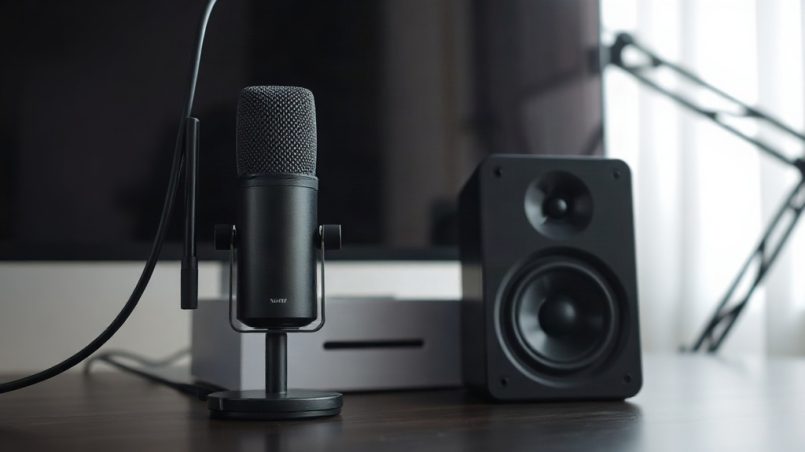
The microphone vs speakers question sounds trivial until your first call goes wrong. You deliver a clear update, then hear your own voice bounce back a second later. Or a colleague says you sound distant while your headset sits unused in a drawer. Readers often ask us at BeReviewers.com which half of the audio chain deserves their money first. This guide explains how each device shapes a remote meeting, where cheap gear fails, and how to combine both without feedback.
Quick answer: Put your budget into the microphone first, because listeners notice poor audio far more than they notice average speakers. Use a headset or a microphone with echo cancellation if you join calls without headphones, and keep speakers at a modest volume to prevent feedback. A decent microphone plus basic speakers beats an excellent speaker pair paired with a weak mic.
What is microphone vs speakers?
These two devices sit on opposite ends of the same conversation. A microphone converts your voice into a signal the meeting platform sends to others. Speakers convert incoming audio back into sound for your ears. Remote work stresses both at once, often in a small room with hard walls and a closed door.
The comparison matters because each device fails differently. Microphone problems affect what colleagues hear: room echo, keyboard clatter, a voice that fades when you turn your head. Speaker problems affect what you hear, and they can leak back into your mic as echo. A quiet listener with a poor mic still ruins the call for everyone else.
How the two devices interact on a call
Most meeting apps run echo cancellation, noise suppression, and automatic gain control. These features compare what the speakers play with what the microphone picks up, then subtract the overlap. The system works best when the microphone sits close to your mouth and the speakers stay at low volume. Move the mic a meter away and raise the speakers, and the software has to guess more.
Wired, wireless, and built-in options
Laptops and monitors include microphones and speakers, and both are usually the weakest link. Built-in mics pick up fan noise and desk vibration. Built-in speakers sound thin and sit close to the mic, which invites feedback. External gear improves each side:
- USB microphones suit dedicated desks and podcast-style calls.
- Headsets combine a close mic with private speakers, which removes echo almost entirely.
- Speakerphones work for small groups but struggle in echoey rooms.
- Desktop speakers give comfortable listening for music and video, yet they feed sound back toward your mic.
Takeaway: treat the microphone as the device that affects other people and the speakers as the device that affects you. Most remote workers should optimize in that order.
Why microphone vs speakers matters
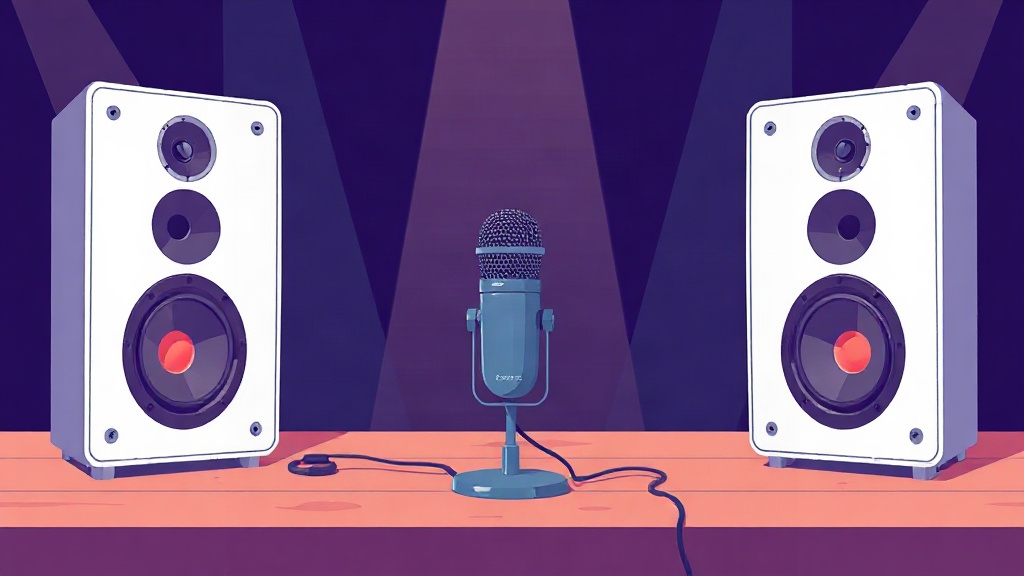
Audio quality shapes how others judge your competence and attention. A muffled or echoey voice forces listeners to work harder, and they remember the friction. Video quality gets the credit, yet sound carries the meeting. Choosing between microphone and speaker upgrades is really a question of where the weakest link sits.
The cost of bad audio in meetings
Think about the last call where someone sounded like they were speaking from a bathroom. You probably missed part of what they said and spent energy filling the gaps. That is the practical cost: repetition, misunderstood action items, and follow-up messages that a clear sentence would have prevented. Speakers contribute too. If your volume is high, your mic picks up the other participants and sends them back to the room.
When speakers create feedback loops
Feedback happens when a microphone hears the speakers and the system amplifies that sound again. A high-pitched squeal is the extreme case. The milder version is an echo that others hear on every sentence. Headphones break the loop because the sound never reaches the room. If you prefer speakers, lower the volume, sit farther from them, and enable the platform’s echo cancellation. Learning to fix Zoom echoes fast helps when the problem appears mid-meeting rather than at setup.
You stop noticing your own room echo after a few minutes. The people listening do not.
Takeaway: sound problems cost credibility and time. Fixing the input side protects everyone on the call, while fixing the output side mainly protects your own comfort.
Best practices
Build the setup around your room and your call types, not around the biggest spec sheet. A few practical choices cover most remote work situations.
Prioritize the microphone first
A mid-range USB microphone or a wired headset microphone will outperform a laptop’s built-in array in almost every room. Place it 15 to 30 centimeters from your mouth and slightly off-axis so plosives do not thump. Use a cardioid pattern for solo calls, since it rejects sound from behind. If you share a space, a dynamic microphone picks up less room noise than a sensitive condenser.
Choose the right speaker arrangement
Headphones solve echo with no configuration. Open-back headphones leak sound and can still feed a nearby mic, so closed-back models suit shared rooms. Desktop speakers work well for listening to recordings or music between calls. During calls, keep them at a low volume and enable echo cancellation. A speakerphone belongs in a small conference setting, not at a solo desk beside a sensitive mic.
Comparison: headset vs desktop speakers for calls
| Factor | Headset | Desktop speakers |
|---|---|---|
| Echo risk | Very low | Moderate to high |
| Listening comfort | Good for long calls | Better for music and video |
| Setup effort | Minimal | Needs volume and placement tuning |
| Shared-room friendly | Yes, with closed-back models | No, sound escapes |
Notice that the headset wins on call reliability, while speakers win on everyday listening. Many workers keep both and switch depending on the task.
Tune software and room acoustics
Check three settings before your first important call. Confirm the correct input device is selected, because laptops often default to the built-in mic. Disable aggressive noise suppression if it clips your voice. Test your level so your normal speaking voice peaks comfortably rather than hitting the ceiling. Soft furnishings, a rug, and bookshelves reduce reflections more than any software toggle.
Takeaway: spend on the microphone, choose speakers or headphones based on your room, and verify your software settings before the meeting starts.
Common mistakes to avoid
Most bad call audio traces back to a handful of avoidable habits. Each one is easy to correct once you know where to look.
Relying on laptop speakers and mic together
The built-in pair sits centimeters apart, so the mic hears the speakers directly. That geometry makes echo likely even with cancellation enabled. Moving to any headset, even a basic wired model, removes the problem. If you must use speakers, turn the volume down and keep the mic close to your mouth.
Buying an expensive microphone without placement
A premium microphone on the far side of a desk picks up keyboard noise, room echo, and fan hum. Distance matters more than price at that point. Bring the mic close, angle it away from the keyboard, and use a shock mount or a soft surface beneath it. Placement is free, and it often delivers a bigger gain than an upgrade.
Ignoring mute and monitoring habits
Leaving a hot mic during side conversations creates awkward moments, and forgetting to unmute wastes meeting time. Learn the platform’s keyboard shortcut for mute and watch the indicator. Avoid monitoring your own voice through speakers, since that path guarantees feedback. Use headphones if you need to hear yourself.
Raising speaker volume to hear better also raises the chance your mic picks up the room. Adjust one, then check the other.
Takeaway: the most common failures are placement and routing mistakes, not equipment limits. Fix those before spending more money.
FAQ
Do I need a separate microphone if I already have good speakers?
Yes, in most cases. Speakers handle output only, so they do nothing for the sound your colleagues hear. A laptop’s built-in mic usually sounds distant and picks up room noise. Add a USB microphone or a headset, and keep your speakers for music and video.
Is a headset better than a microphone plus speakers for remote work?
A headset is the safer default. It keeps incoming audio out of your microphone, which prevents echo without relying on software. A separate microphone plus speakers gives better listening quality but needs careful volume and placement. Choose the headset if you join calls in shared or echoey rooms.
How much should I spend on a microphone versus speakers?
Weight the budget toward the microphone, since listeners judge your audio on every call. A modest USB microphone or wired headset covers most needs, and speakers can stay basic. Upgrade speakers later if you listen to music or watch video at your desk.
Why do colleagues hear an echo when I use speakers?
Your microphone is picking up sound from your speakers and sending it back to the meeting. Lower the speaker volume, move the mic closer to your mouth, or switch to headphones. Enabling echo cancellation in the app helps, but it works best when the mic and speakers are separated.
Can I use desktop speakers and a microphone at the same time?
You can, with care. Keep speaker volume moderate, place the microphone close to your mouth and pointed away from the speakers, and turn on the app’s echo cancellation. Push-to-talk or quick muting adds another layer of protection during long calls.
Conclusion
The microphone vs speakers decision comes down to who feels the difference. Your microphone shapes every word colleagues hear, so it deserves the first upgrade and the closest attention to placement. Your speakers shape your own comfort and become a liability only when volume and position let sound leak back into the mic. A wired headset sidesteps the trade-off entirely, while a USB mic plus modest speakers gives the best everyday listening.
Start with one change this week: move your microphone closer to your mouth and test the result on a short call. If echo persists, check your speaker routing before buying anything new. Then note what still sounds weak and let that guide your next purchase.