
Parents today face unique challenges when managing their children’s social media use. Snapchat remains popular among teens, but its disappearing messages and privacy features concern many families. Fortunately, several messaging apps offer similar functionality while including robust parental controls. This guide explores the best alternatives that balance fun communication with safety features parents need.
Why Parents Worry About Snapchat
Snapchat’s core features create specific safety concerns for families. Messages and photos disappear after viewing, making it difficult for parents to monitor conversations. Additionally, the app includes location-sharing features that reveal where children are at any moment.
Stranger contact presents another significant risk. Anyone can send messages or friend requests to users. The Discover section also exposes children to mature content from various media outlets. Furthermore, screenshot notifications can be bypassed using third-party apps or other devices.
According to Common Sense Media, parents should understand these risks before allowing children to use social media apps. Setting clear boundaries and maintaining open communication helps families navigate digital spaces safely.
What to Look for in Family-Friendly Messaging Apps
Several key features make messaging apps more suitable for children. Strong parental controls top the list of essential requirements. These controls let parents monitor activity without being intrusive.
Content filtering blocks inappropriate messages and images automatically. Apps should include options to restrict who can contact your child. Additionally, time limits help prevent excessive screen time and late-night usage.
Location privacy matters significantly for child safety. Choose apps that either disable location sharing or give parents control over this feature. Transparent reporting systems also allow parents to review conversations when necessary.
Age-appropriate design ensures children encounter content suitable for their maturity level. Look for apps that separate children from adult users entirely. Customer support should respond quickly to safety concerns or inappropriate behavior reports.
Messenger Kids by Meta
Messenger Kids provides a controlled environment designed specifically for children. Meta created this app as a safer alternative to regular Facebook Messenger. Parents maintain complete control over who can contact their child.
The app requires parent approval for all contacts. Children cannot add friends without permission from their parent’s Facebook account. This gatekeeper function prevents stranger contact effectively.
Parents access activity reports showing message frequency and conversation partners. However, the app does not allow parents to read individual messages unless the child shares their device. This balance respects privacy while maintaining oversight.
Messenger Kids includes fun filters, stickers, and video chat features similar to Snapchat. Children enjoy creative tools without exposure to disappearing messages. Additionally, the app contains no advertisements or in-app purchases.
The interface is intuitive and colorful, appealing to younger users. Kids can send photos, videos, and voice messages to approved contacts. Group chats are possible but remain visible to all parents of participating children.
Sleep mode allows parents to schedule times when the app becomes inactive. This feature helps enforce bedtime rules and homework time. Furthermore, parents can lock the app remotely if discipline becomes necessary.
Kinzoo Messenger
Kinzoo Messenger focuses exclusively on family communication. The app connects only family members and close friends approved by parents. This closed network eliminates stranger danger entirely.
Parents create the family network and send invitation codes to relatives. Each family member gets their own profile with age-appropriate features. The app automatically adjusts interface complexity based on user age.
Unlike Snapchat, all messages in Kinzoo remain permanently accessible. Parents can review complete conversation histories at any time. This transparency helps families maintain trust while ensuring safety.
The app includes drawing tools, voice messages, and photo sharing. Children enjoy expressing themselves creatively within the secure family network. Stickers and emojis add fun without mature themes or references.
Kinzoo does not require children to have their own email addresses. Parents manage all accounts through one master control panel. This centralized management simplifies family digital life significantly.
Privacy protection is paramount in Kinzoo’s design. The app collects minimal data and never sells information to advertisers. Additionally, no third parties can access family communications or photos.
JusTalk Kids
JusTalk Kids offers video calling with comprehensive parental controls. The app provides high-quality video chat similar to Snapchat’s video features. However, parents maintain much greater oversight and control.
Parents approve all contacts before children can communicate with them. The contact list remains locked, preventing unauthorized additions. This feature ensures children only connect with known, trusted individuals.
Screen time management tools let parents set daily usage limits. The app automatically locks when time expires, encouraging healthy digital habits. Parents can adjust limits remotely through their own devices.
JusTalk Kids includes fun doodle features during video calls. Children can draw on the screen while chatting with grandparents or friends. These creative tools make conversations engaging and entertaining.
The app offers end-to-end encryption for all communications. This security feature protects family conversations from hackers and unauthorized access. Nevertheless, parents retain the ability to monitor their child’s activity.
Parental controls extend to app settings and privacy options. Children cannot change important settings without parental passwords. This restriction prevents kids from disabling safety features or circumventing controls.
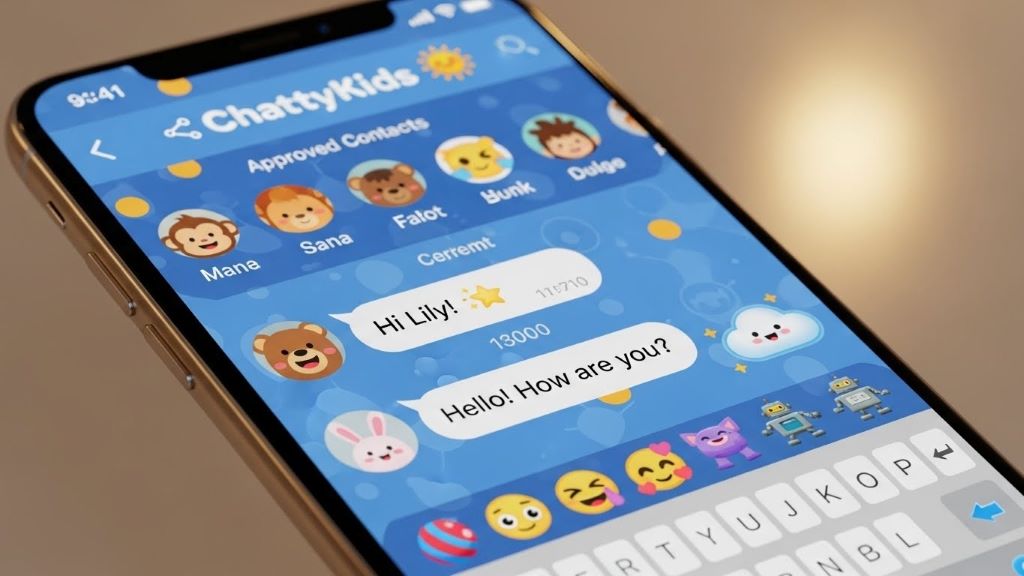
Kudos Chat
Kudos Chat creates a safe messaging environment specifically for children. The app uses artificial intelligence to filter inappropriate content automatically. Messages containing concerning language or images trigger immediate parent notifications.
Parents receive real-time alerts when potential issues arise. The AI system detects bullying, inappropriate requests, and other warning signs. However, it respects appropriate conversations by not flagging normal childhood communication.
Unlike Snapchat’s disappearing messages, Kudos Chat preserves all conversations. Parents can review message history remotely through a companion app. This access remains invisible to children, maintaining natural communication.
The app includes educational content about digital citizenship and online safety. Children learn appropriate behavior through interactive lessons and reminders. This educational component helps develop good habits early.
Contact management requires parent approval for all friend requests. Children submit requests that parents can accept or deny. Additionally, parents can remove contacts at any time if concerns develop.
Kudos Chat provides detailed activity reports for parent review. These reports show messaging frequency, most common contacts, and time spent in-app. Parents can identify patterns and address issues proactively.
Gabb Messenger
Gabb Messenger pairs with Gabb phones designed specifically for children. These devices provide calling and texting without internet browsers or social media access. The messenger app offers a safer alternative to mainstream platforms.
Parents control the contact list entirely through their own devices. Children cannot add or remove contacts without parental involvement. This restriction creates a completely managed communication environment.
The app includes only essential messaging features without distracting elements. There are no games, filters, or social features that encourage excessive use. This simplicity helps children focus on genuine communication.
Gabb Messenger does not support photo or video sharing by default. Parents can enable these features if desired through parental controls. This opt-in approach prevents impulsive sharing of inappropriate images.
All messages remain accessible indefinitely for parent review. The system automatically backs up conversations to parent accounts. Therefore, parents can monitor communications even after messages are deleted from the child’s device.
According to The New York Times, simpler devices like Gabb phones help children develop healthy technology habits. Limited features reduce distraction and encourage face-to-face interaction.
Setting Up Parental Controls Effectively
Installing a safe messaging app is only the first step. Proper configuration ensures maximum protection while respecting your child’s growing independence.
Begin by creating strong passwords for all parental control features. Never share these passwords with your child. Change them periodically to maintain security.
Sit down with your child during initial setup. Explain each safety feature and why it matters. This conversation builds understanding rather than resentment about monitoring.
Establish clear rules about app usage before allowing access. Discuss who they can contact, when they can use the app, and what content is appropriate. Write down these rules for reference.
Review parental control settings regularly as your child matures. Adjust restrictions to match their growing responsibility and judgment. However, maintain core safety features regardless of age.
Set aside time for weekly check-ins about their digital experiences. Ask open-ended questions about who they talk to and what they discuss. Listen without judgment to encourage honest communication.
Enable all available notification features that alert you to concerning behavior. Respond quickly to alerts to address problems before they escalate. Nevertheless, avoid overreacting to minor issues that children can handle themselves.
Teaching Digital Responsibility Alongside Controls
Parental controls work best when combined with digital literacy education. Children need to understand online safety principles, not just follow rules blindly.
Discuss the permanence of digital communications even in apps claiming messages disappear. Explain how screenshots and forwarding can expose private conversations. Use real examples appropriate for their age.
Teach children to recognize manipulation and inappropriate requests from others. Role-play scenarios where someone asks for personal information or inappropriate photos. Practice responses that firmly decline and report concerning behavior.
Help children understand that people online may not be who they claim. Strangers can create fake profiles pretending to be peers. Emphasize the importance of only accepting contacts they know in real life.
Encourage critical thinking about content they encounter online. Discuss how to identify clickbait, misinformation, and inappropriate material. Build these evaluation skills through regular conversations about their online experiences.
Model good digital behavior in your own social media use. Children learn more from observing parents than from lectures. Therefore, demonstrate the balance and responsibility you expect from them.
Balancing Privacy and Safety
Finding the right balance between monitoring and privacy challenges every family. Children need some independence to develop judgment and responsibility.
Younger children require closer monitoring with fewer privacy expectations. Elementary-aged kids benefit from full transparency in their digital communications. Parents should review messages regularly without apology.
Middle school children need gradual privacy increases as they demonstrate responsibility. Consider spot-checking rather than reading every message. Focus monitoring on concerning patterns rather than everyday conversations.
Teenagers deserve significant privacy unless they give reasons for concern. Explain that trust comes with responsible behavior and open communication. Make monitoring the exception rather than the rule for older teens.
Always be transparent about monitoring capabilities even if you do not use them constantly. Children should know what parents can see and under what circumstances you will review their activity. This honesty maintains trust while deterring inappropriate behavior.
Adjust your approach based on individual maturity and past behavior. Some children need tighter controls longer than others. Conversely, responsible kids can earn greater freedom earlier than their peers.
Transitioning to Less Restricted Apps
Eventually, most children transition to mainstream social media platforms. Prepare them for this transition through gradual responsibility building.
Consider apps with parental controls as training wheels for digital life. Use them to teach good habits before moving to unrestricted platforms. This progression helps children internalize safety principles.
Set clear milestones for earning access to less restricted apps. These might include age requirements, demonstrated responsibility, or completion of digital citizenship training. Make expectations explicit and achievable.
When transitioning to apps like Snapchat, maintain some oversight through third-party parental control software. Many phone management apps monitor activity across multiple platforms. This broader approach continues protection during the transition.
Start by allowing limited use of new apps under parental supervision. Sit together while they explore features and settings. Guide them through privacy configuration and help them make safe choices.
Continue regular conversations about their experiences on new platforms. Ask about challenges, uncomfortable situations, and positive interactions. Maintain open dialogue even as direct monitoring decreases.
Conclusion
Apps like Snapchat with parental control features provide safer alternatives for children’s digital communication. Options like Messenger Kids, Kinzoo Messenger, JusTalk Kids, Kudos Chat, and Gabb Messenger offer fun messaging capabilities while giving parents essential oversight tools. These platforms balance creative expression and social connection with age-appropriate safety measures. By combining appropriate apps with clear rules, ongoing education, and open communication, families can navigate digital spaces together confidently. Remember that parental controls are tools to support your parenting, not replace active involvement in your child’s online life. With the right approach and resources, children can develop healthy digital habits that serve them throughout their lives.
Frequently Asked Questions
At what age should I allow my child to use messaging apps?
Most experts recommend waiting until at least age 9 or 10 for messaging apps with parental controls. However, individual maturity varies significantly. Consider your child’s responsibility level, understanding of online safety, and ability to follow rules before allowing access to any social platform.
Can children bypass parental controls on these apps?
Determined children may attempt to circumvent controls, but apps designed for kids make this difficult. Use strong passwords, enable all available alerts, and maintain open communication. Additionally, regularly check that controls remain active and have not been disabled or modified.
Should I read all my child’s messages?
Reading frequency depends on age and demonstrated responsibility. Younger children benefit from regular message review. Older children deserve more privacy unless concerning behavior emerges. Always tell children you have the ability to read messages even if you do not exercise it constantly.
What if my child insists on using regular Snapchat like their friends?
Peer pressure is real, but safety matters more than popularity. Explain your concerns clearly and offer compromises like supervised use or waiting until an agreed-upon age. Help them understand that different families have different rules, and not all friends have the same privileges.
Are free parental control apps as effective as paid versions?
Free apps often provide basic protection adequate for younger children. However, paid versions typically offer more comprehensive monitoring, better customer support, and advanced features. Evaluate your family’s specific needs and your child’s risk factors when choosing between free and paid options.
Related topics:
Best Online Job Without Investment: Start Today